Overview
Explore and analyze AVITI24™ multiomic data in the cloud with CytoCanvas Studio™.
CytoCanvas Studio allows you to explore interactive single-cell visualizations of AVITI24 multiomic data, including proteins, phospho-proteins, and RNA transcripts. It serves as the primary gateway for post-run visual quality control and interactive multiomic analysis, letting you confirm accurate cell segmentation, map molecular activity across your sample, and share findings with your team, all from a web browser.
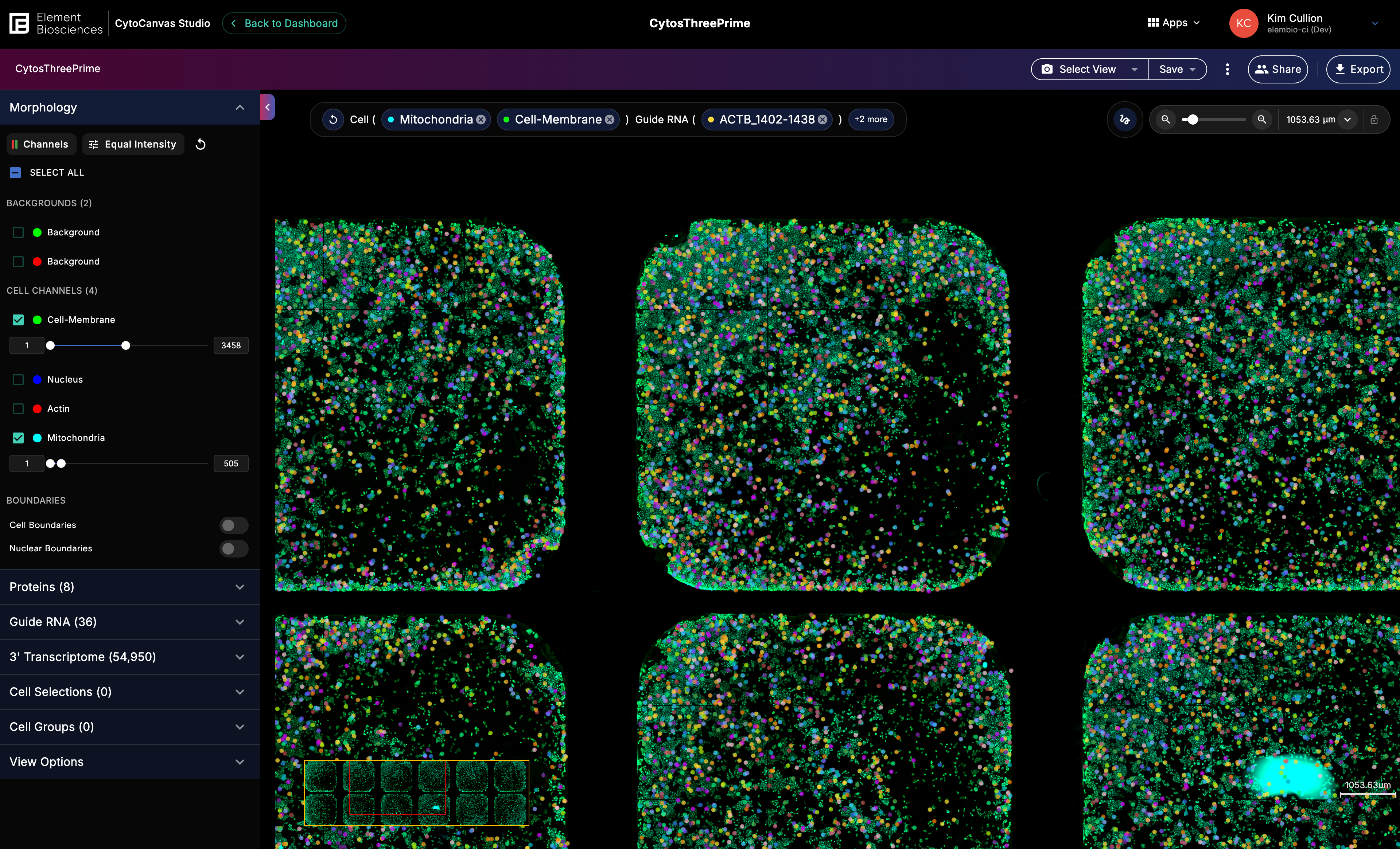
Key capabilities
- Verify run quality: Overlay segmentation masks onto raw fluorescence images to confirm cells were correctly identified.
- Explore multiomic layers: Toggle RNA transcripts, localized proteins, phospho-proteins, and organelle markers as individual channels directly onto high-resolution cell images to see where molecular activity occurs within clearly delineated cell boundaries.
- Organize and revisit visualizations: Save named views that capture applied morphology channels and cellular markers.
- Share curated views with your team or collaborators: Share canvases organization-wide or generate links for quick read-only access to a visualization without requiring a login.
Data analysis workflow
CytoCanvas Studio fits into a fully automated post-run workflow, from instrument to insight.
- Automated data upload: Cytos™ run data is securely uploaded automatically to your ElemBio Catalyst or AWS account.
- On-instrument analysis: When a run completes on the AVITI24 System, an analysis workflow runs automatically and generates the data needed for visualization.
- 3′ alignment and assignment: For 3' Transcriptome or Multimodal Pooled Screening (MPS) runs, 3' alignment and assignment aren't completed on the instrument. To generate the full 3' data for visualization:
- ElemBio Catalyst™ customers: Configure a Cytos Cell Screening flow once. It launches automatically each time a 3' Transcriptome or MPS run completes.
- AWS or local storage customers: Manually launch the Multiomics workflow on each completed 3' Transcriptome or MPS run.
- Visual QC: Open CytoCanvas Studio to overlay segmentation masks onto raw fluorescence images and verify that cell boundaries are accurate before committing to downstream analysis.
- Interactive multiomic discovery: Explore your validated data using data filters, cell groups, and multi-layered visualizations to map molecular activity within its spatial context.
CytoCanvas Studio versus CytoCanvas Desktop
CytoCanvas™ is available in two forms. Choose based on your lab's infrastructure and access requirements.
| CytoCanvas Studio | CytoCanvas Desktop | |
|---|---|---|
| Primary use | Cloud-integrated QC and analysis | Local access without cloud dependency |
| Accessibility | Any web browser. Officially supported browsers:
| Local installation (Windows, macOS, Linux) |
| Data source | ElemBio Catalyst or AWS S3 | Local drives, AWS S3, or network storage |
| Key advantage | No installation; instant access from anywhere | For customers who cannot access the cloud |
| Collaboration | Share canvases via organization links or external read-only links | Export and share visualization manually |
Access CytoCanvas Studio
CytoCanvas Studio uses your ElemBio Cloud credentials for authentication. Each organization has a dedicated URL.
- Navigate to
https://{orgname}.cytocanvas.elembio.io, where{orgname}is your ElemBio Cloud organization name. - Log in with your ElemBio Cloud credentials.
After authentication, CytoCanvas Studio redirects to the Dashboard where you can create, manage, and open canvases.
You can also open CytoCanvas Studio directly from ElemBio Cloud for cell screening runs that are cloud-enabled through ElemBio Catalyst or AWS storage connections.
- From the run details page, select the link to open the run in CytoCanvas Studio.
- From the data browser, select the
View in CytoCanvasbutton from any directory containing acyto.vizfile.
Browser compatibility
The following web browsers support CytoCanvas Studio:
- Chrome (recommended)
- Firefox