Protein screening run monitoring metrics
Review the metrics the AVITI24™ System reports while a protein screening run is in progress.
The AVITI24 System reports the following metrics for protein screening runs:
| Metric | Description |
|---|---|
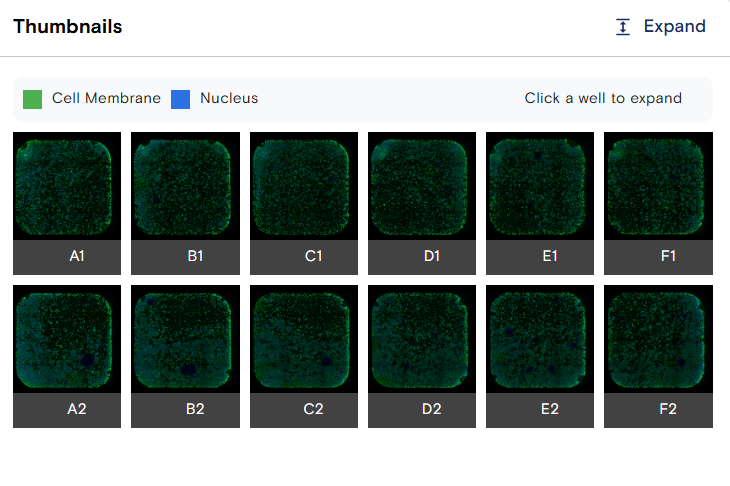
| Thumbnail | Flow-cell snapshot per well; quality check on cell membrane and nuclear cell paint. |
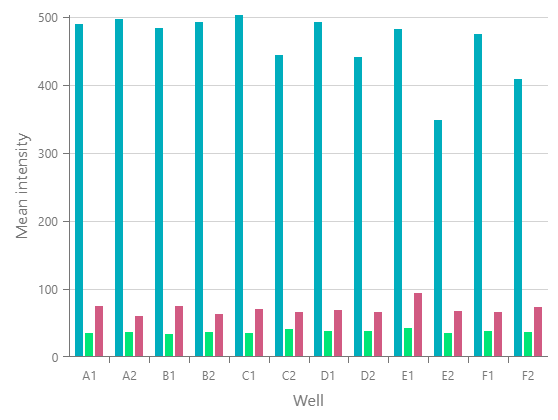
| Protein IF | Immunofluorescence signal for each protein target in the panel. |
Run analysis overview
The Analysis Overview on the Run Details page summarizes run progress and key primary analysis metrics in real time as each well is processed.
The gauge color reflects run status: blue (priming or running), orange (pausing or paused, resumes automatically), green (completed), red (failed), and teal (stopped by a user). For the full status reference, see Remote run monitoring.
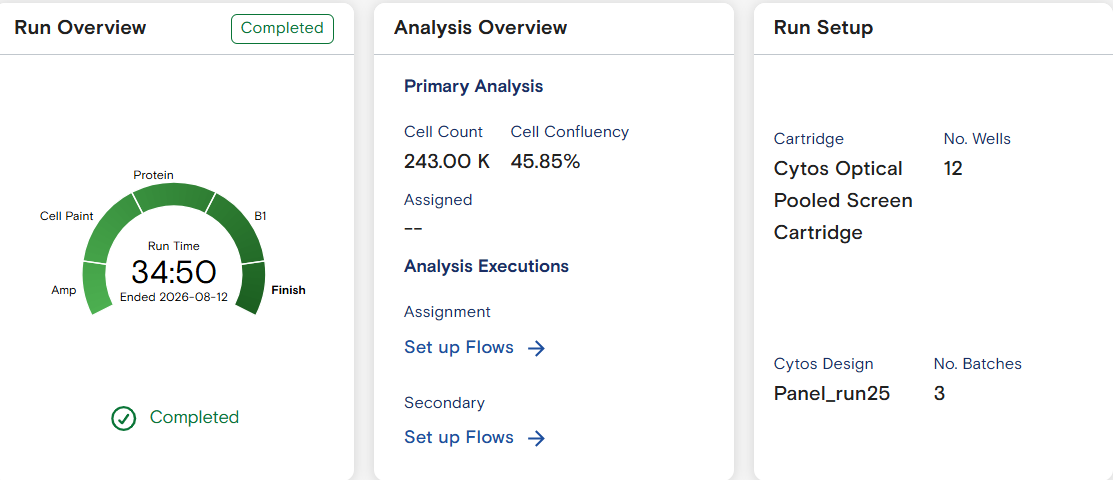
Metric examples
Thumbnail
A per-well flow-cell snapshot. Use it to confirm seeding, cell membrane, and nuclear cell paint quality.
Protein IF
Immunofluorescence signal for each protein target in the panel. Select a protein target from the dropdown to generate its per-well plot.
To monitor a run in progress from ElemBio Cloud, see Remote run monitoring.